
Email campaigns from your business address: newsletters and automated sequences
Connect Gmail, Outlook, Zoho, OVH or Brevo, write with the visual editor or in HTML, track opens and clicks, and automate your sequences.
Email is still the go-to channel for invoices, newsletters, long-form content and business customers. The problem: email marketing tools are often expensive and disconnected from WhatsApp. With Whatixo, your email campaigns go out from your own business address, with the same CRM as your WhatsApp and SMS campaigns.
Connect your business address in 2 minutes
Choose your email provider, enter your address and SMTP password (or app password): Whatixo checks the connection right away. Your credentials are encrypted and never displayed.
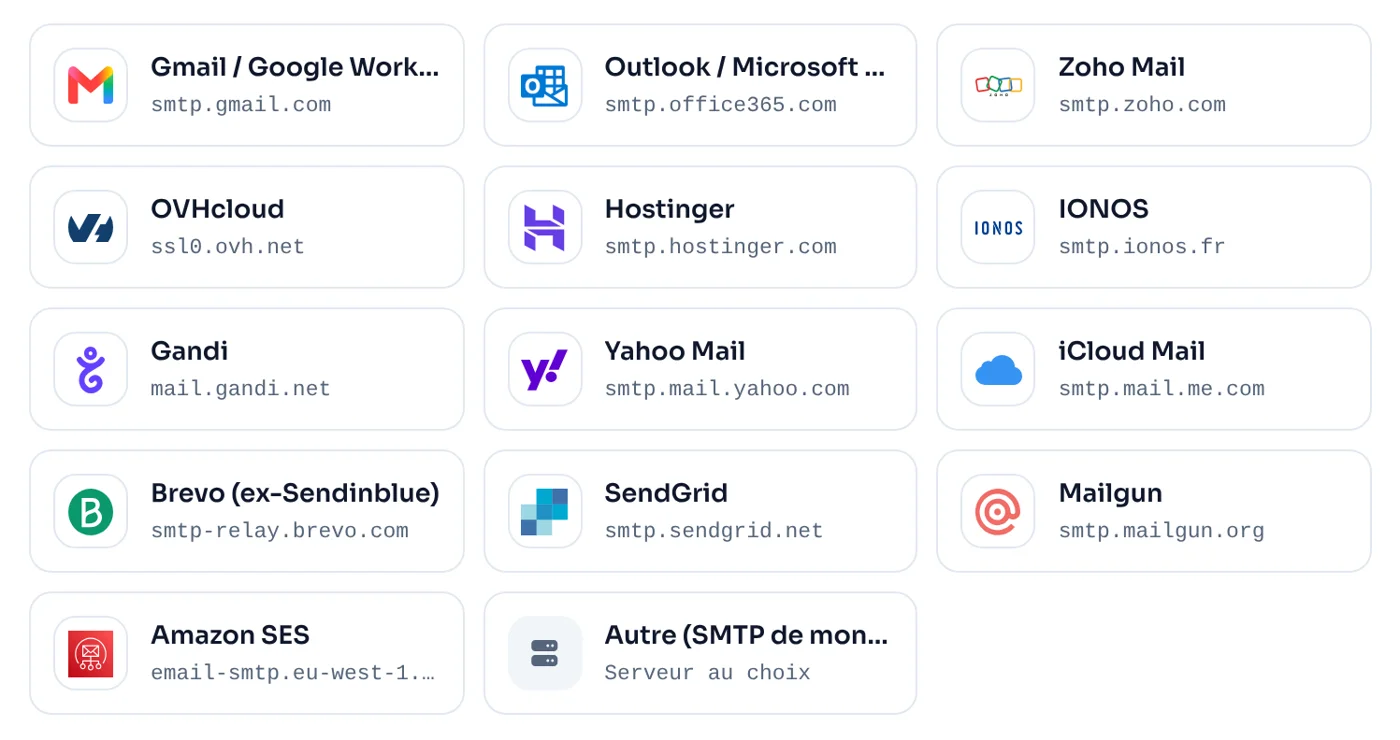
Ready-to-use providers: Gmail and Google Workspace, Outlook and Microsoft 365, Zoho Mail, OVHcloud, Hostinger, IONOS, Gandi, Yahoo, iCloud, Brevo, SendGrid, Mailgun, Amazon SES, and any host’s SMTP server.
Gmail: turn on 2-Step Verification, then create an “app password” in your Google Account. Google rejects your regular password for this type of connection.
Two ways to write your emails
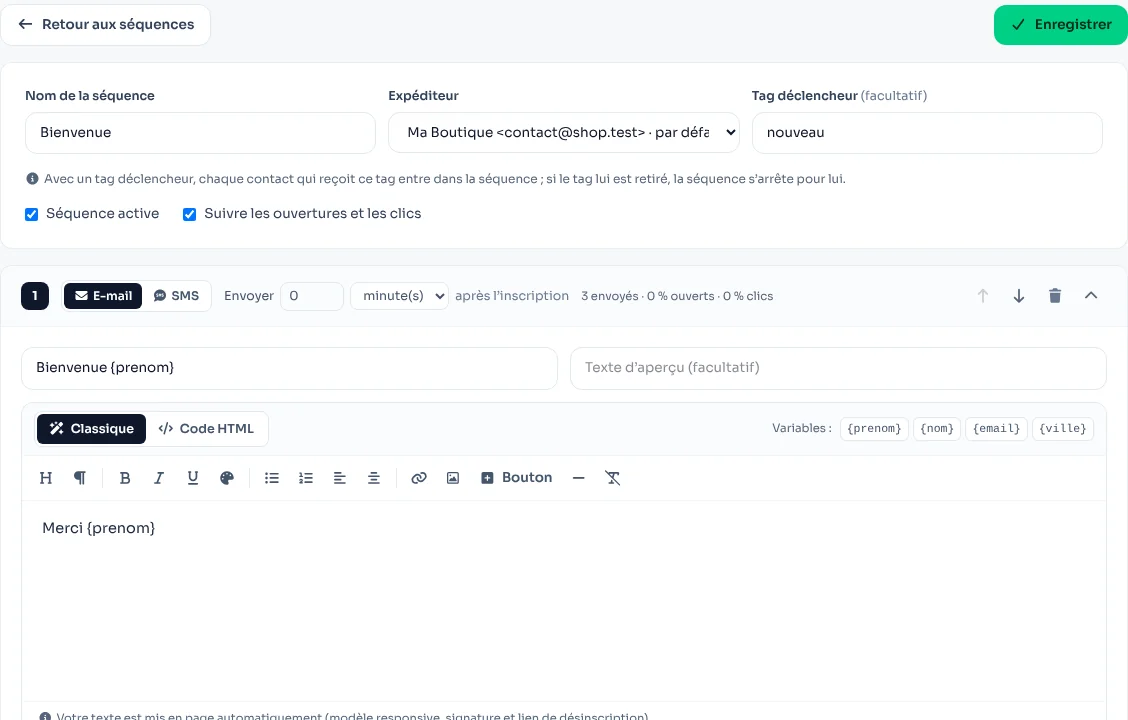
Classic mode
A visual editor: headings, bold, colors, lists, links, images and buttons. Your text is laid out automatically in a mobile-friendly template, with your signature and the unsubscribe link.
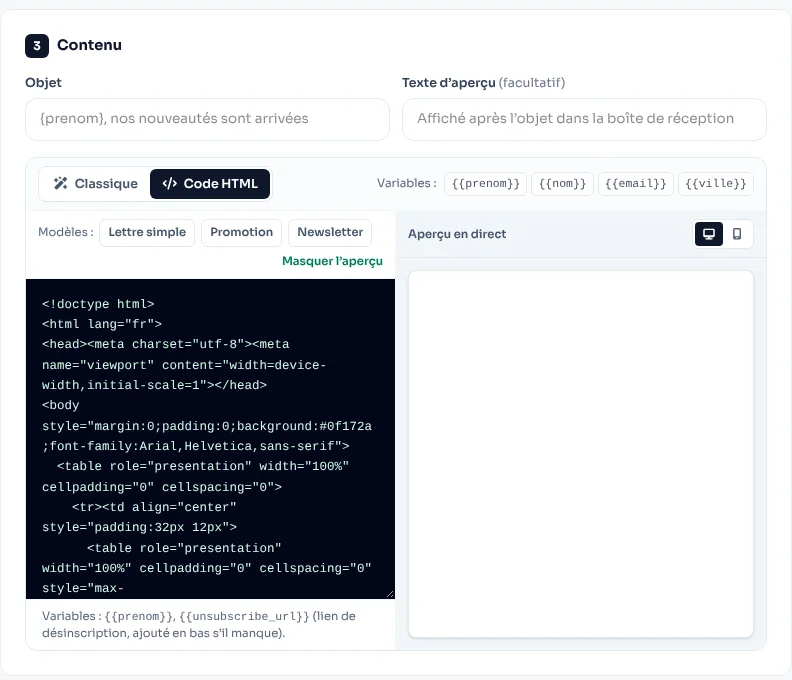
HTML code mode
Have your own template? Paste your HTML, or start from one of the included templates (simple letter, promotion, newsletter), with a live desktop and mobile preview.
Send and measure a campaign
- Choose recipients: a CRM tag, an Excel / CSV file or pasted addresses.
- Write the subject, the preview text and the content with your variables ({prenom}, {city}…).
- Send yourself a test, then launch or schedule, at the speed you choose.
- Track sends, opens, clicks and unsubscribes.
Every email includes an unsubscribe link and the one-click unsubscribe headers that Gmail and Yahoo now require for bulk senders. Unsubscribed contacts are automatically excluded from all your campaigns and sequences.
Automated email + SMS sequences
A welcome on sign-up day, a tip on day 2, an offer on day 7… A sequence sends its steps automatically, by email or SMS. It starts when a contact gets a tag, from an automation or by manual enrollment, and shows its stats step by step.
The “Send an email” action in workflows
Order confirmation, invoice, course access: your workflows can send an email, in classic or HTML mode, to the customer or to your team.
Landing in the inbox
- Use an address on your own domain and set up SPF, DKIM and DMARC with your host.
- Free Gmail and Outlook accounts have daily sending limits: for high volumes, use Brevo, SendGrid, Mailgun or Amazon SES.
- Only email contacts who agreed to receive your emails.
To combine email with WhatsApp and SMS, read WhatsApp, SMS or email: which channel to sell?
Try Whatixo for free → No credit card required, your WhatsApp is connected in 30 seconds.