
Chrome extension for WhatsApp Web: 7 features to sell more
Personalized campaigns, group member extraction, quick replies, CRM: what the Whatixo extension adds to WhatsApp Web.
If you sell from your computer, WhatsApp Web is probably open all day. But it lacks the essentials: you can’t send a personalized message to a list, export a group’s members or see a customer’s card. The Whatixo Chrome extension adds all of that right inside WhatsApp Web, in a panel next to your chats.
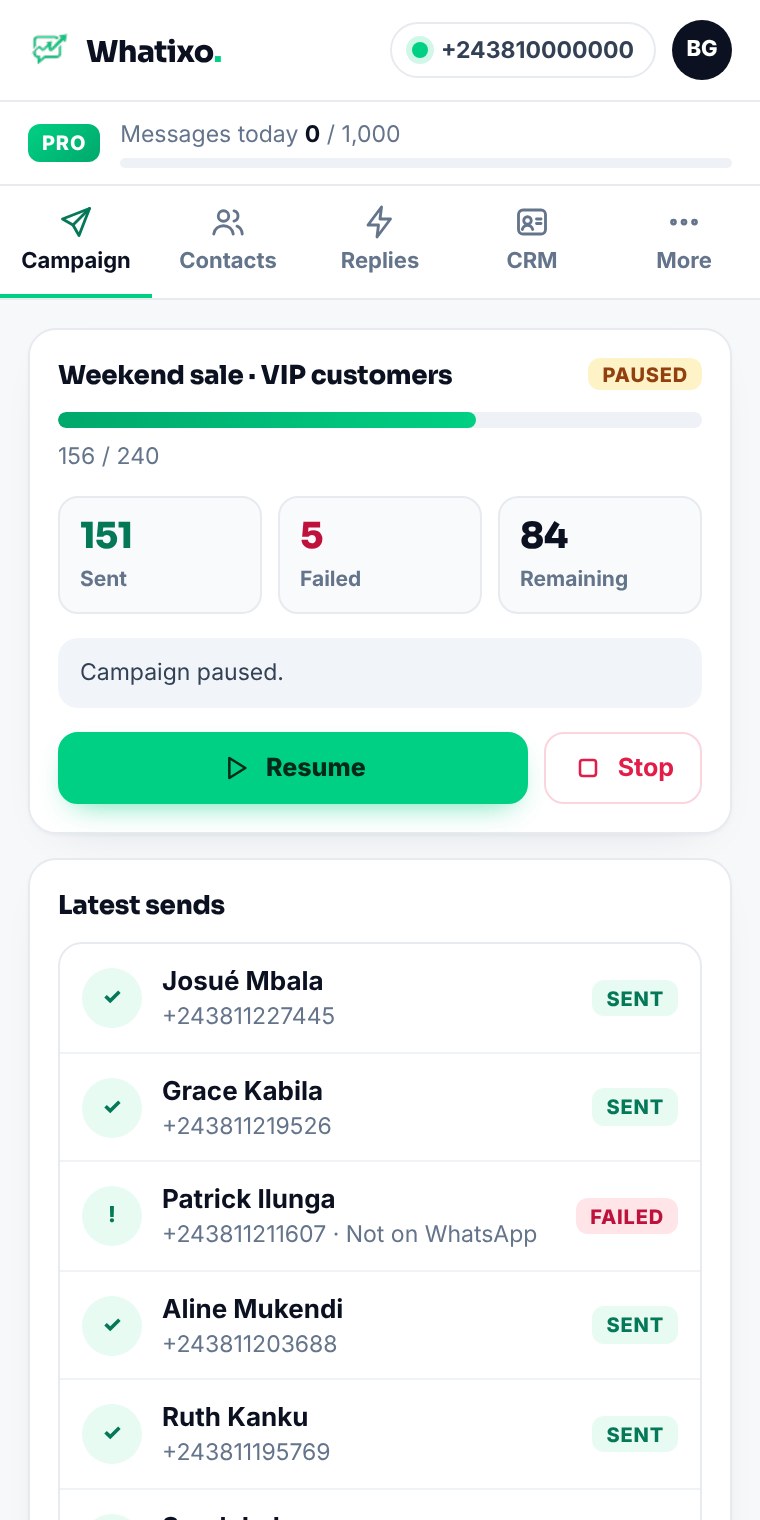
1. Personalized campaigns from WhatsApp Web
Import an Excel file or paste your numbers, write your message with variables ({prenom}, {city} or any column) and variants ({Hi|Hello}) so every message is unique. Pauses between sends are set for you.
2. A campaign that keeps running in the background
You can close the panel: the campaign keeps going and resumes automatically after an interruption. Pause, resume and stop take one click, with every send detailed. Depending on your plan, you can also schedule sends and attach images, videos and PDFs.
3. Group member extraction
Export as Excel, CSV or contact cards the members of a group (including admins), your saved contacts, your unsaved chats or a WhatsApp Business label. Then send them straight to a campaign or your CRM.
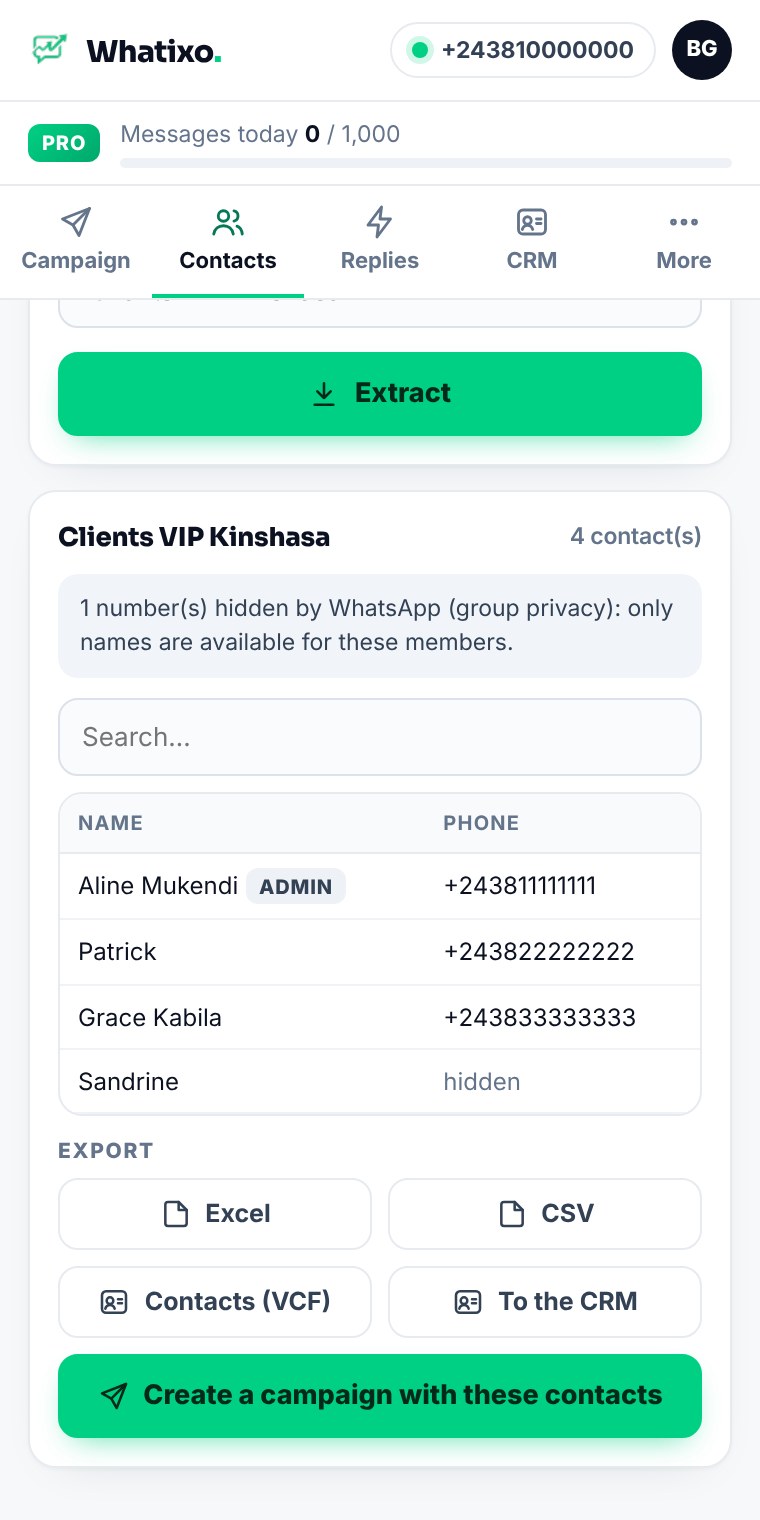
Good to know: WhatsApp now hides the number of some group members. The extension recovers every number your WhatsApp knows and clearly flags the others.
4. The customer card next to the conversation
Tags, lead status, notes: the card of the person you’re chatting with appears on the right, and everything syncs with your Whatixo CRM.
5. Quick replies
Your most-used messages (prices, delivery, payment methods) are inserted in one click, with the customer’s first name.
6. Privacy mode
Working in public or sharing your screen? Blur names, photos and messages in one click.
7. One account, one subscription
The extension uses your Whatixo account and plan. You can upgrade right from the extension.
Your data stays with you
WhatsApp conversations and contacts never leave your browser: only usage counters are sent to Whatixo. The extension works with Google Chrome, Microsoft Edge, Brave and Opera, on desktop.
Extension or app: which one?
The extension works inside your WhatsApp Web while it’s open: perfect for day-to-day campaigns and extraction. The Whatixo app runs 24/7 on our servers: AI agent, workflows, sequences, SMS and email. Both share the same account: use both.
Install the extension from the Chrome Web Store →
Try Whatixo for free → No credit card required, your WhatsApp is connected in 30 seconds.