
Shopify + WhatsApp: confirm orders and cut cash-on-delivery refusals
Order confirmation, cash on delivery, abandoned carts, post-purchase follow-up: connect your Shopify or WooCommerce store to WhatsApp.
Selling online with cash on delivery? Then you know the problem: impulse orders, customers who can’t be reached at delivery time, parcels coming back. A WhatsApp message sent automatically right after the order changes everything: the customer confirms, and you only prepare the safe orders.
Why WhatsApp for e-commerce?
A confirmation email often ends up in the promotions tab or never gets opened. A WhatsApp message gets read, and the customer can reply immediately. It’s also the natural channel to ask about a size, a color or a delivery time.
Connect your store
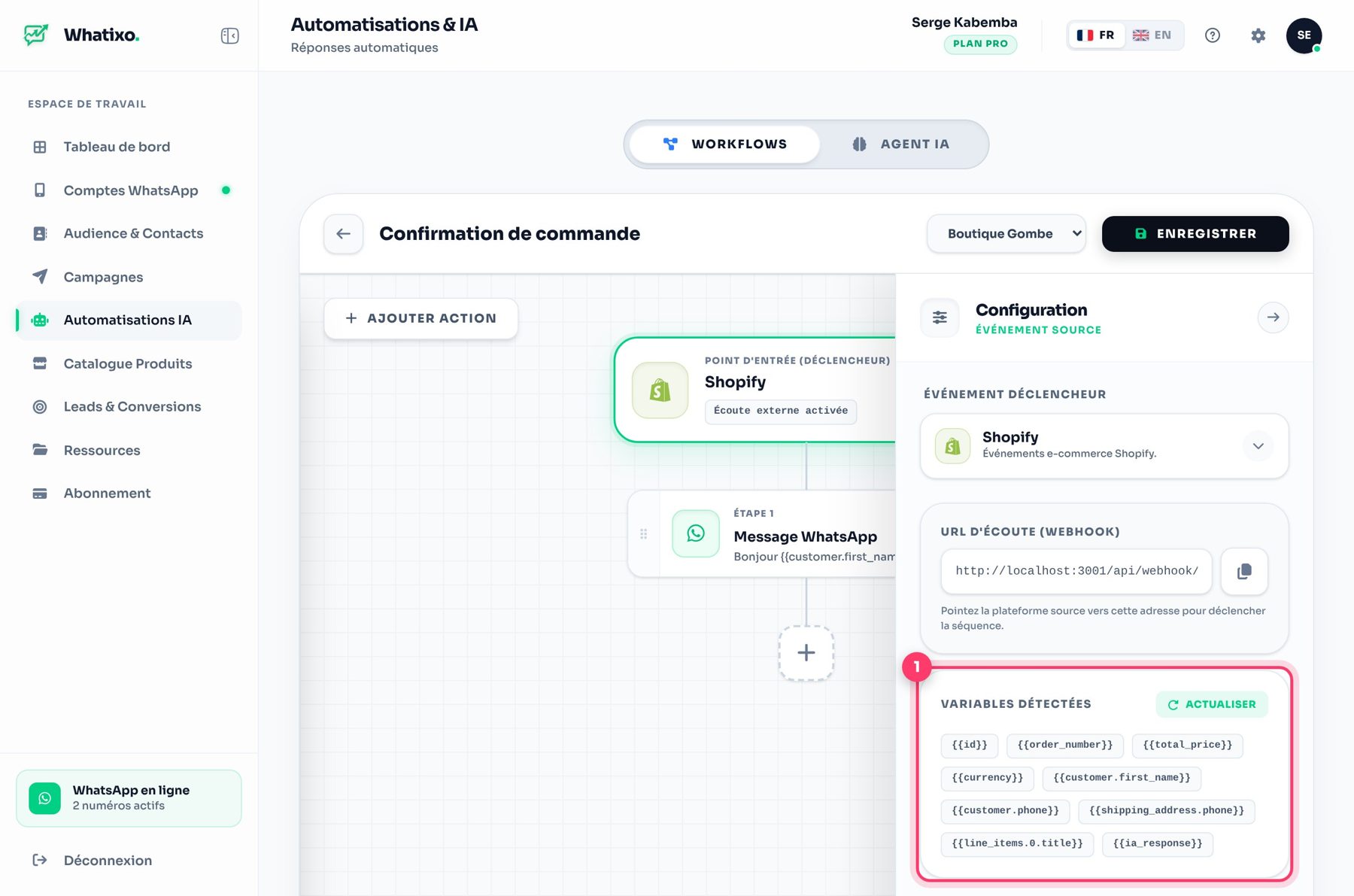
In Whatixo, workflows plug into Shopify, WooCommerce, Chariow, Maketou or any website that can send a webhook. Each new order triggers the scenario of your choice, with all the order details available as variables: customer first name, order number, total, address.
4 e-commerce automations that pay off
1. Order confirmation
“Hi {prenom} 👋 Thanks for your order #{commande} of {total}. Reply 1 to confirm it, 2 to cancel.”
The customer’s reply triggers what happens next: a thank-you and a “confirmed” tag, or an alert to your team.
2. Abandoned cart follow-up
The customer started checkout but didn’t finish? A reminder a few hours later, with a link back to their cart, recovers some of those sales.
3. Shipping and delivery
“Your parcel is on its way, the courier will call you tomorrow.” Fewer “where is my order?” calls, more customers at home for delivery.
4. Post-purchase follow-up
A review request a week later, then a reorder offer. Start a loyalty sequence with a simple “customer” tag.
Backed up by SMS or email
If the customer doesn’t have WhatsApp, the same workflow can send an SMS or an email (invoice, summary) from your business address.
The AI agent as customer service
While workflows handle orders, the AI agent answers questions: availability, sizes, delivery times, returns. It can rely on your catalog and terms of sale.
Set it up in 15 minutes
- Connect your WhatsApp number in Whatixo.
- Create a “New order” workflow and paste its webhook URL into Shopify or WooCommerce.
- Write your confirmation message with the order variables.
- Place a test order and check the message you receive.
Try Whatixo for free → No credit card required, your WhatsApp is connected in 30 seconds.